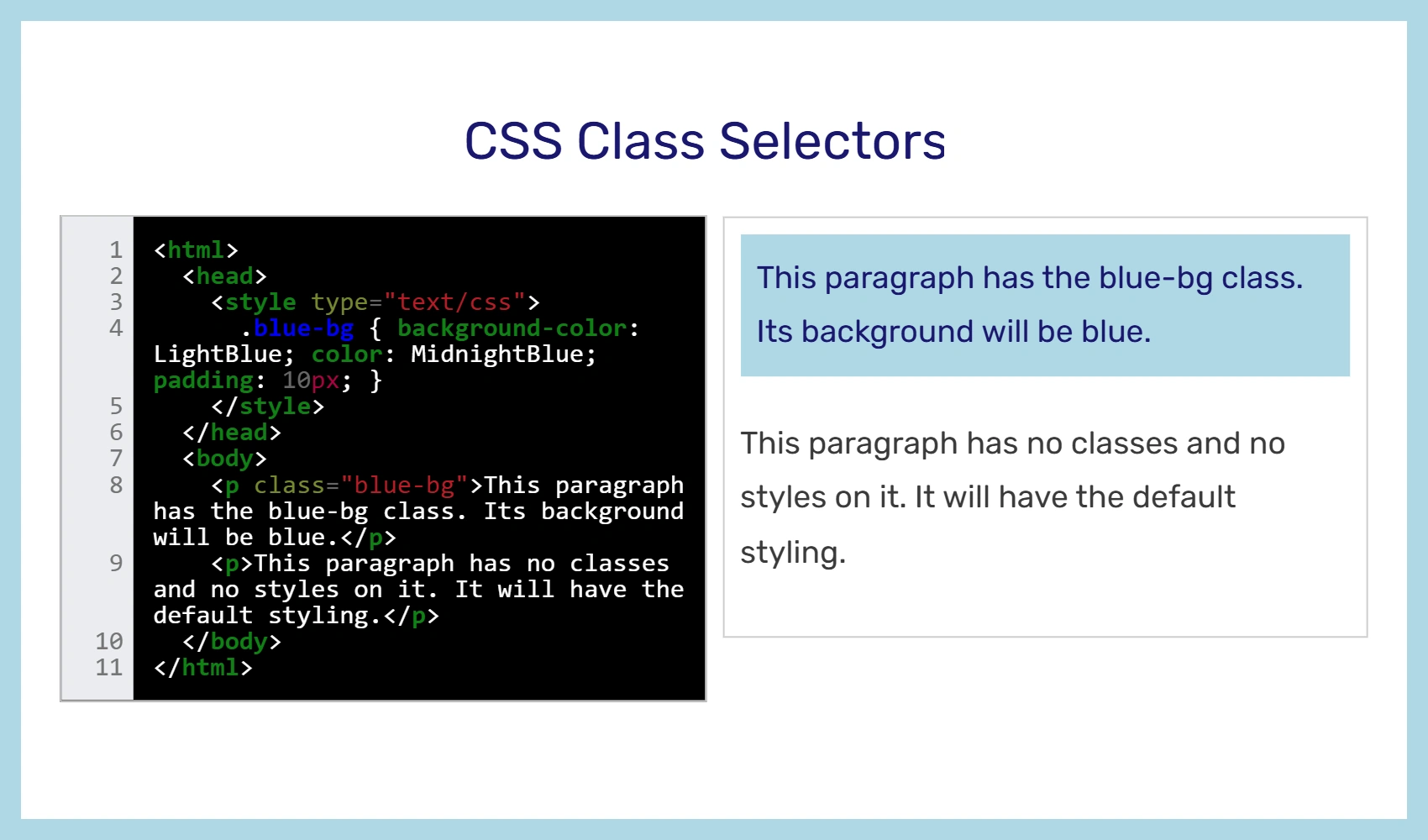

Example code
In an HTML document, CSS Class selectors match an element based on the contents of the element's class attribute. The class attribute is defined as a space-separated list of items, and one of those items must match exactly the class name given in the selector.
Classes in CSS are written with a period before the class name, like: .class1.
If you only want the code to apply to a certain type of element when the class is used, you can do that too. Write the type of element, followed by a period, then the name of the class. Example: span.class1. Then that code will only get applied to spans with that class name. For example, a div with class1 on it would ignore span.class1 because it isn't a span.
Using classes
In CSS, a class begins with a period. Then you put the name of your class. You can name it whatever you want. For example:
.gray-text { color: gray; }
Then, you use the class name in your HTML whenever you want to apply that class to an element. For example:
<div class="gray-text">This div has gray text.</div>
Here's what it looks like put together:
<html>
  <head>
    <style type="text/css">
      .blue-bg { background-color: LightBlue; color: MidnightBlue; padding: 10px; }
    </style>
  </head>
  <body>
    <p class="blue-bg">This paragraph has the blue-bg class. Its background will be blue.</p>
    <p>This paragraph has no classes and no styles on it. It will have the default styling.</p>
  </body>
</html>
And the output will look like this:
Output
This paragraph has the blue-bg class. Its background will be blue.
This paragraph has no classes and no styles on it. It will have the default styling.
Multiple classes
You can use more than one class on an element. Here's an example of different classes being used:
<html>
  <head>
    <title>Title</title>
    <style type="text/css">
      div { background: pink; color: black; padding: 10px; }
      .blue-bg { background-color: LightBlue; color: MidnightBlue; padding: 10px; }
      .green-text { color: green; }
    </style>
  </head>
  <body>
    <div>The CSS gives divs pink BGs by default.</div>
    <div class="blue-bg">But spans with the blue-bg class have blue BGs.</div>
    <div class="green-text">This one has green text.</div>
    <div class="blue-bg green-text">This one has a blue bg with green text.</div>
  </body>
</html>
Best practices
Give your classes descriptive names. For example, "blue-bg" is better than "class1." This makes your code easier to read and understand.